The Case for a Dedicated Cable Storage Bag (and How to Pack One Well)
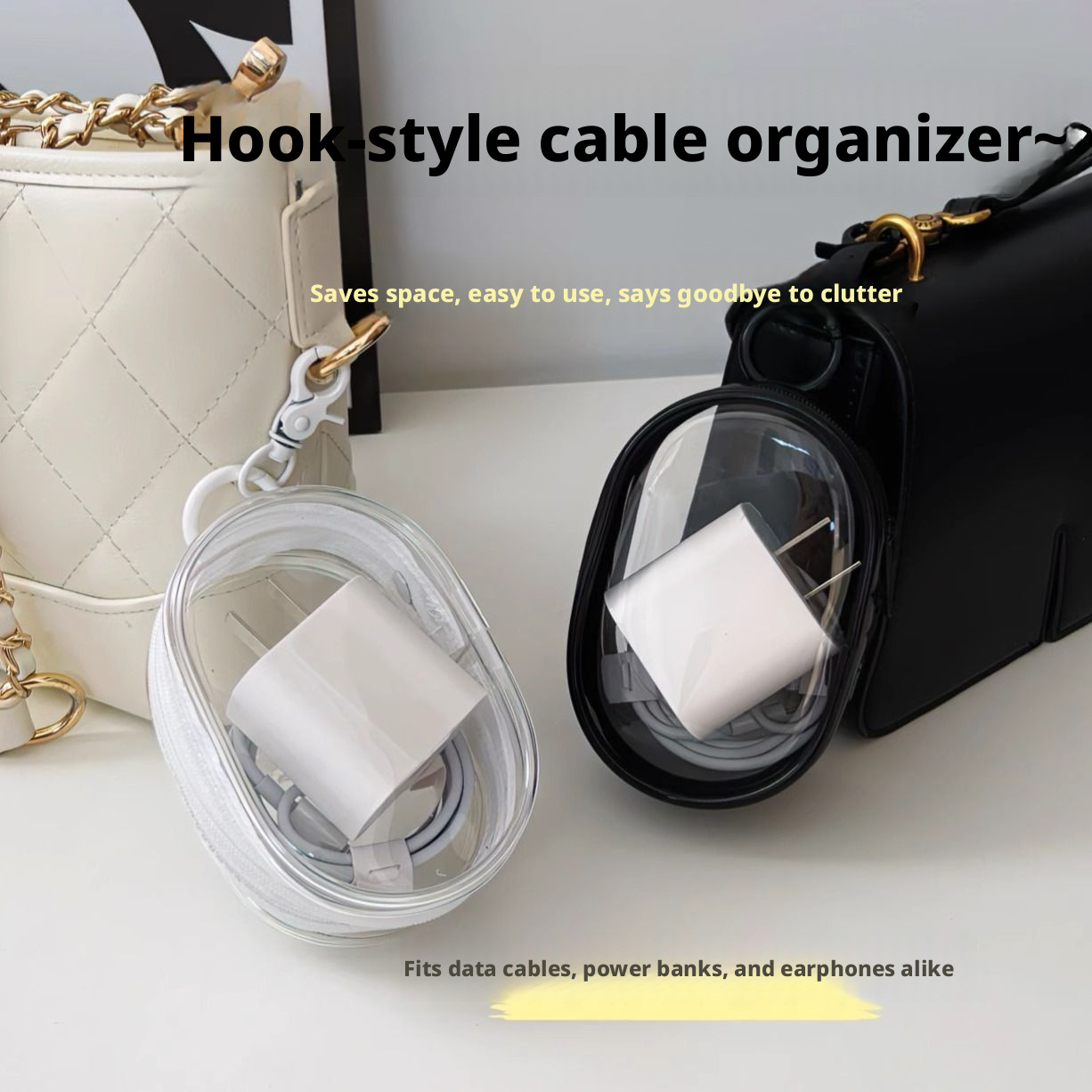 Data Cable Storage Bag-black-1 Piece$2.99Shop →
Everyone has the drawer, or the bag pocket, where cables go to knot themselves into an angry ball. A dedicated cable storage bag is the small, unglamorous fix that quietly makes your day smoother. It's not exciting, but it pays off every single time you travel or reach for a charger.
What a cable bag is for
A cable storage bag is a compact organizer designed to hold cords, chargers, adapters, and small accessories in one place. Instead of loose cables migrating to the bottom of a backpack, everything has a home, and you can grab the whole kit at once.
Why it beats tossing cables loose
- No more tangles. Separated, coiled cables don't wrap around each other, so you skip the two-minute untangling ritual.
- Faster packing. One bag in, one bag out. You stop leaving a charger behind at hotels and desks.
- Less wear. Cables that aren't yanked from knots and crushed under gear simply last longer.
- A quick inventory. Open it and you can see at a glance whether anything is missing before you head out the door.
How to choose one
Think about what you actually carry. If you travel with a laptop charger and a couple of cables, a slim bag is plenty. If you haul adapters, a power bank, earbuds, and memory cards, look for one with elastic loops, mesh pockets, and a divider or two to keep items from shifting.
Other things worth weighing: a sturdy zipper that won't snag, a size that fits your usual bag without hogging space, and a material that wipes clean. A darker color like black hides scuffs from daily handling. If you're rough on gear, a firmer shell offers more protection than a soft pouch.
How to pack it so it stays neat
Coil each cable loosely and secure it with the bag's loop, a small tie, or a hook-and-loop strap, tight coils stress the wires. Put the heaviest item, often the charger or power bank, flat against the back so the bag sits stably. Keep tiny pieces like memory cards in a zipped inner pocket so they don't escape. Group by purpose: charging in one section, data and accessories in another, so your hand finds the right cord without looking.
Keeping it useful
Do a quick reset after each trip, return every cable to its slot so the bag is ready next time. Wipe the interior occasionally to clear out crumbs and lint, and avoid overstuffing, since a bulging bag strains the zipper and defeats the tidy purpose.
FAQ
- What size cable bag should I get?
- Match it to your habits. A slim bag suits a couple of cables and a charger; choose a larger one with pockets and dividers if you also carry adapters, a power bank, earbuds, or memory cards.
- Will it protect my electronics from bumps?
- A padded or firmer-shell bag offers more cushioning than a soft pouch. Any bag mainly keeps items organized and contained; if drop protection is a priority, look for one with structured padding.
- How do I keep cables from tangling inside?
- Coil each cable loosely and secure it with the bag's straps, loops, or small ties, and use separate pockets for small accessories so nothing migrates and knots together.